Your Pay Per Lead · An Earng Media product

Qualified leads, delivered the moment they qualify.

Your Pay Per Lead is our lead marketplace. Choose a campaign in your industry, add credit, and qualified leads arrive in your CRM or Google Sheet with every answer they gave.

Opens yourpayperlead.com, where you apply and sign in.

No lock-in contract Top up by card Dispute a bad lead

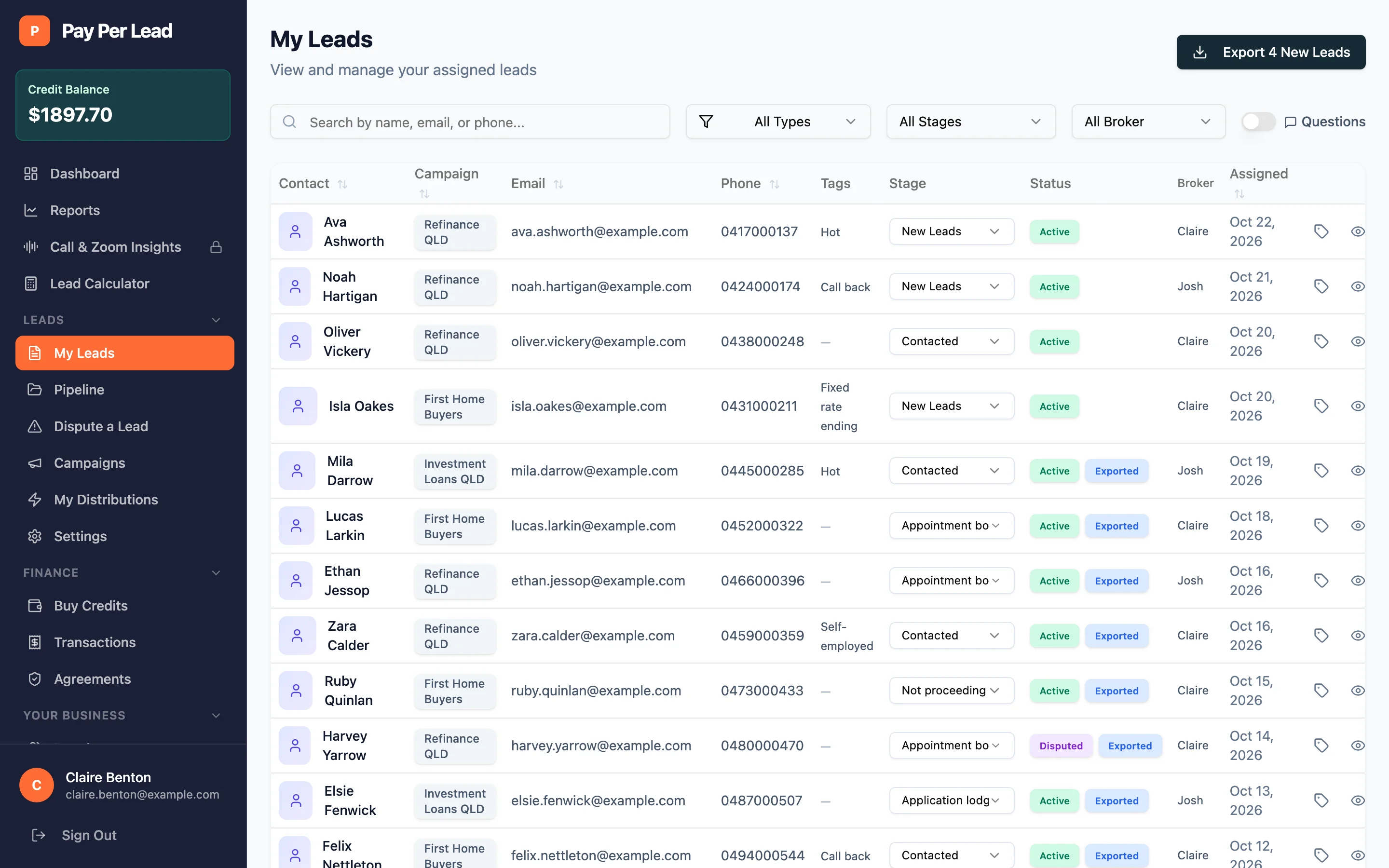
The My Leads table in the Pay Per Lead app: contact names, campaigns, emails, phone numbers, tags, a stage for each lead such as New Leads, Contacted or Appointment booked, and the date assigned.

How it works

Three steps to your first lead.

  1. 01

    Choose your campaign

    Browse campaigns for your industry. Each one shows its price per lead and the qualifying questions a lead must answer before it reaches you.

  2. 02

    Add credit

    Top up by card in the app. Credit is added as soon as the payment clears and every transaction has an invoice. There is no lock-in contract.

  3. 03

    Receive qualified leads

    Leads are delivered automatically to your CRM, Google Sheet or webhook, and appear in My Leads with everything they answered.

Inside the app

Everything about your leads, in one place.

This is what you see when you sign in to Your Pay Per Lead.

My Leads

Every lead, its answers and where it's up to

Every lead you buy lands in one list with its campaign, contact details, tags and stage. Show the qualifying answers as columns, search and filter, and export new leads to Excel in one click.

  • Add your own fields and tags to any lead
  • Export new leads to an Excel file
The My Leads table in the Pay Per Lead app: contact names, campaigns, emails, phone numbers, tags, a stage for each lead such as New Leads, Contacted or Appointment booked, and the date assigned.
Lead details

The whole lead on one screen

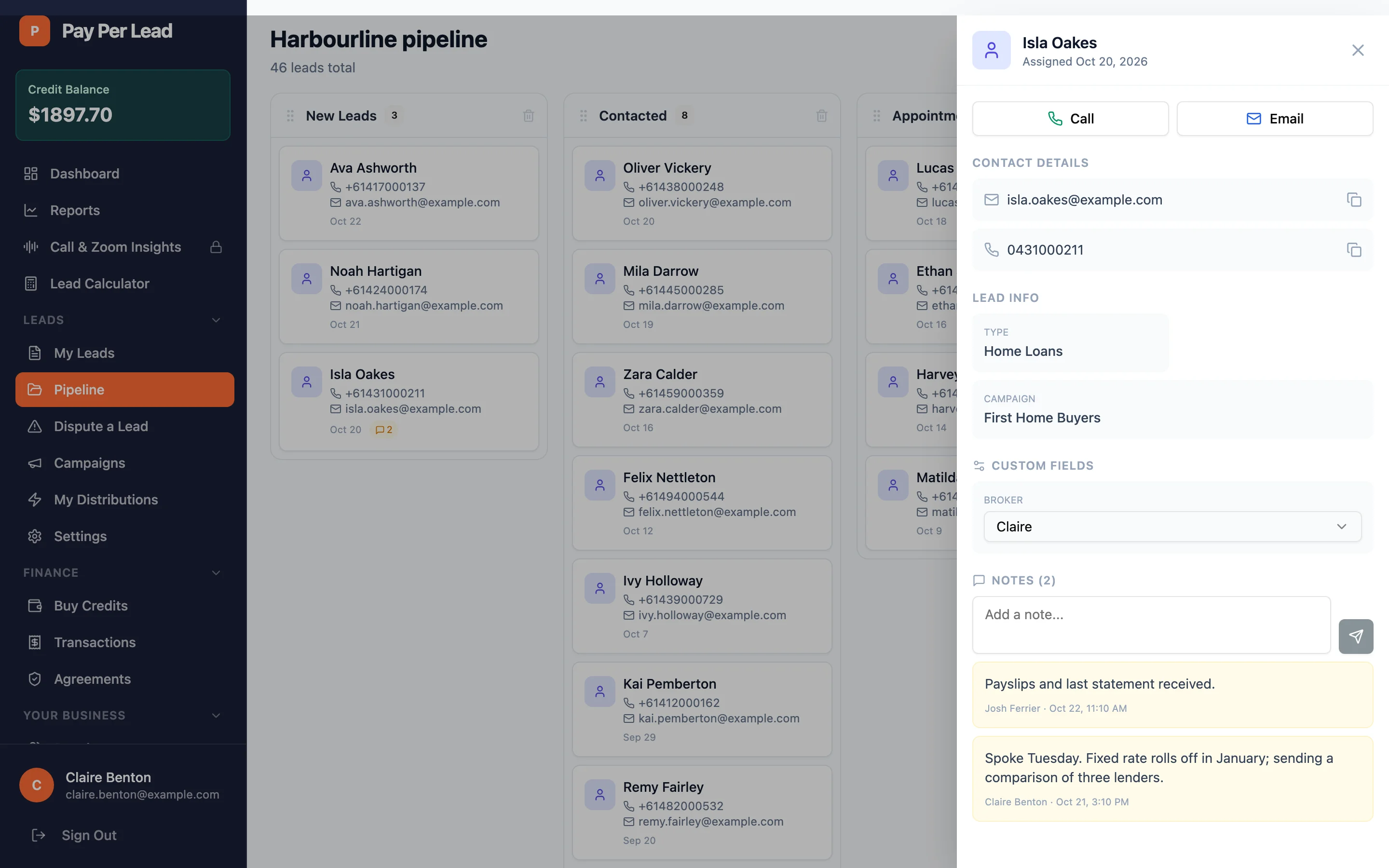
Open a lead to call or email them, see the campaign it came from and its qualifying answers, set your own fields and keep your team's notes together.

  • Notes from our team sit beside yours
The Pay Per Lead pipeline with one lead open in a side panel: Call and Email buttons, email and phone, the lead type and campaign, a Broker field and two notes from the team.
Pipeline

Track every lead to the sale

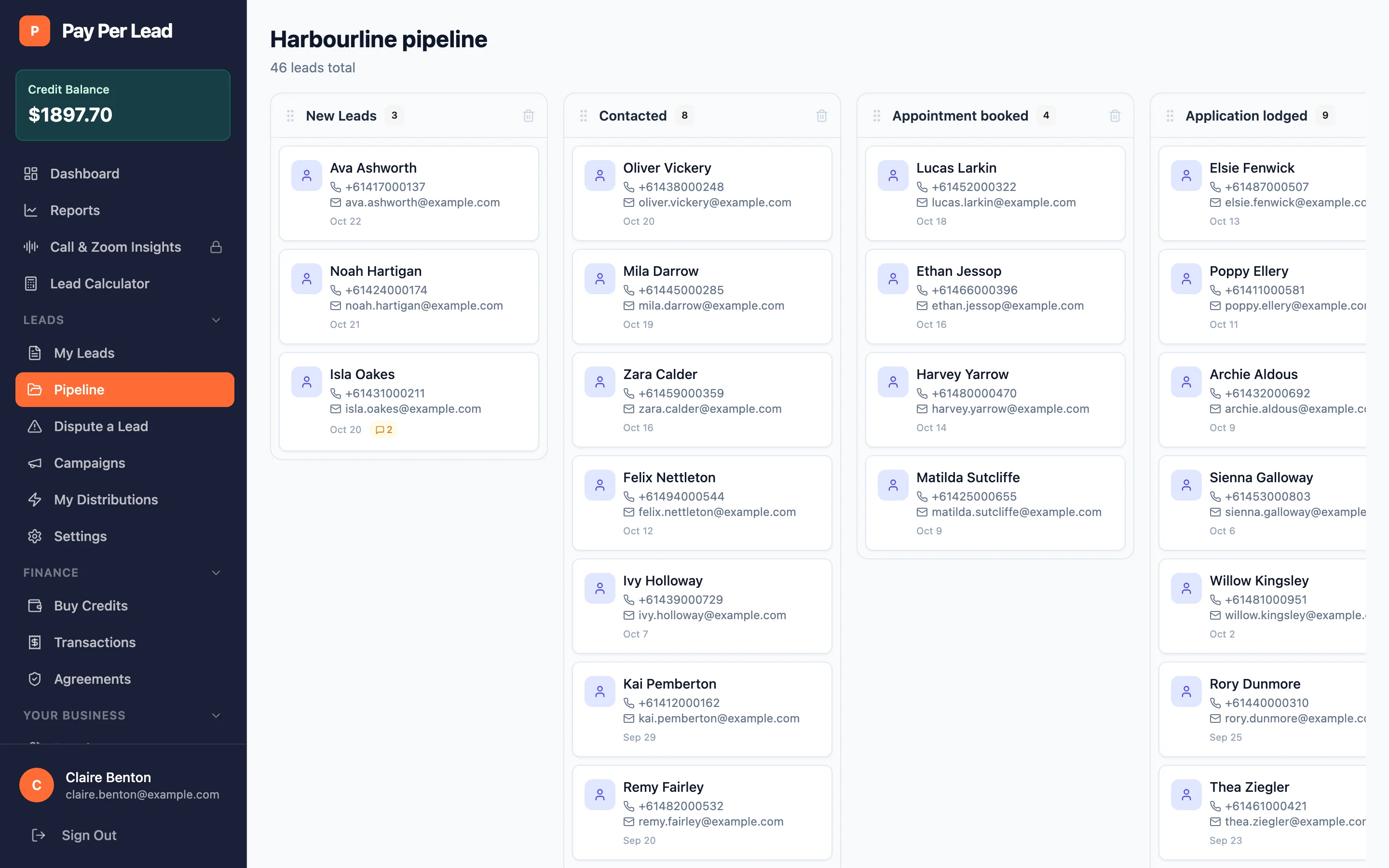
Use the built-in pipeline to drag each lead from new through to closed, so the whole team can see where every lead is up to. Already have a CRM? Keep using it instead.

A Kanban pipeline in the Pay Per Lead app with columns from New Leads through Contacted, Appointment booked, Application lodged, Approved and Settled, each holding lead cards.
Campaigns

See what you're buying before you buy

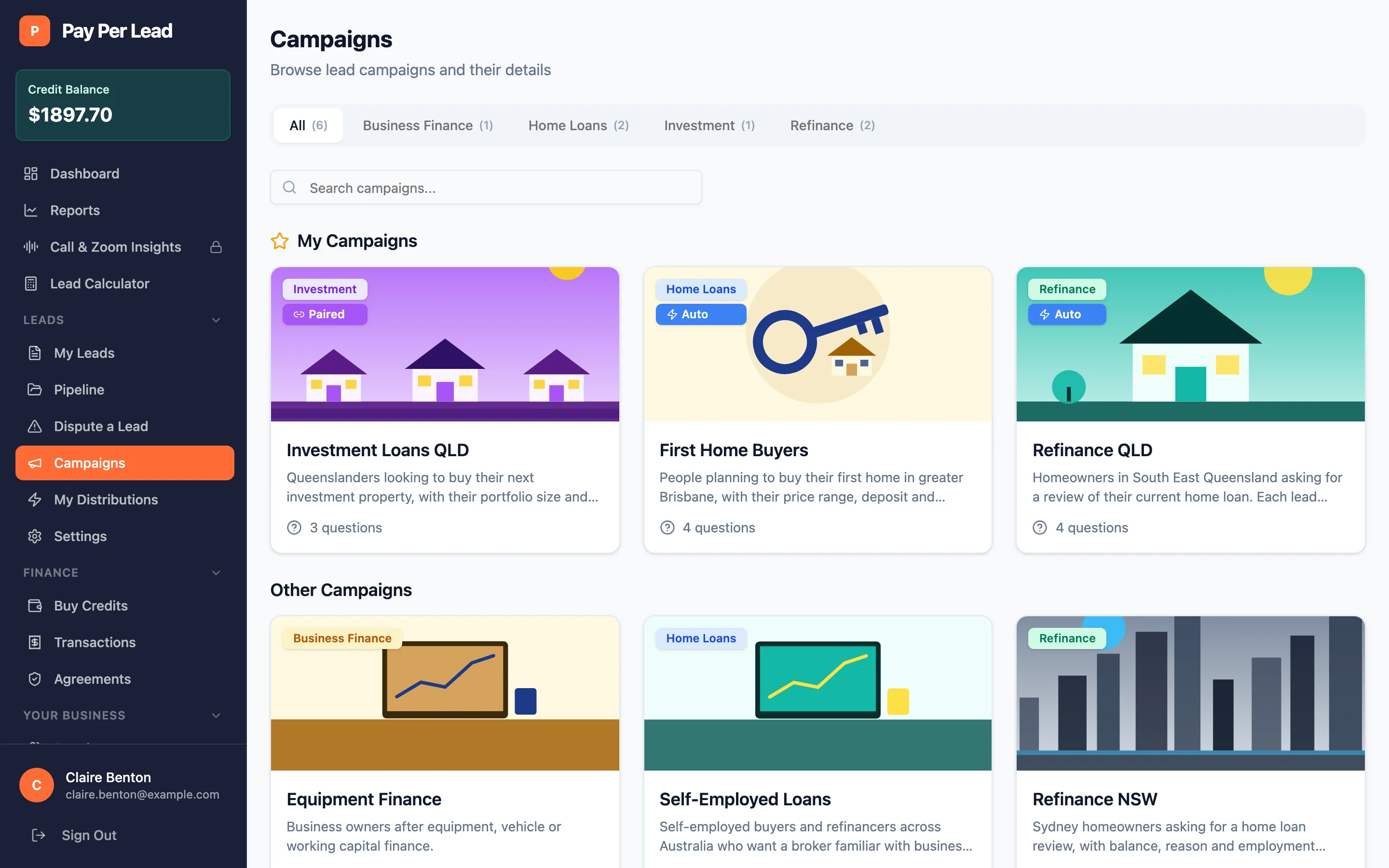
See the campaigns open to you and the ones you already receive, with the qualifying questions each lead answers before it reaches you.

The Campaigns page in the Pay Per Lead app: cards for refinance, first home buyer and investment loan campaigns, each with a picture, a short description and the number of qualifying questions, with the ones already sent to you marked Paired or Auto.
Auto-distribution

Leads that route themselves

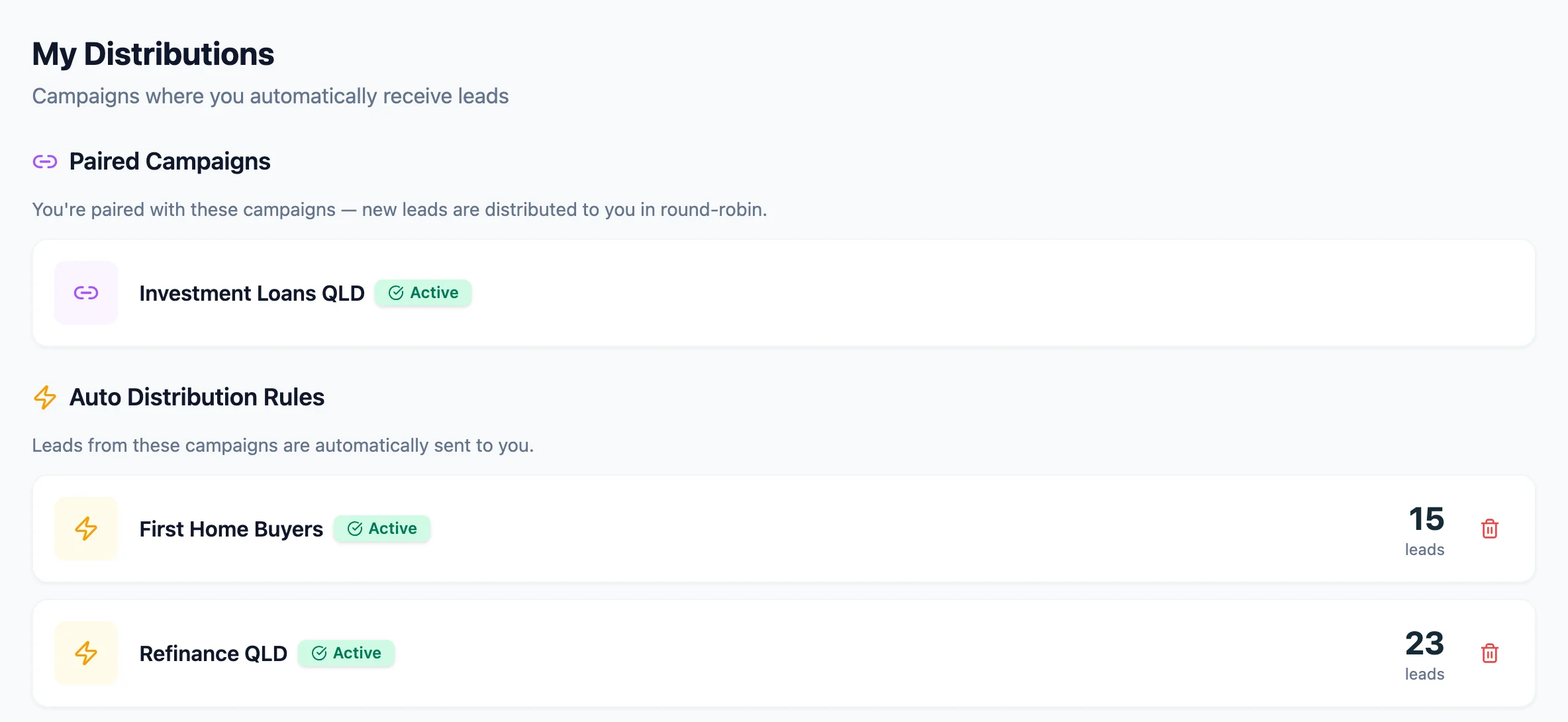
Your distribution rules show which campaigns send you new leads automatically, and how many you've received from each. Paired campaigns share new leads between buyers in turn.

  • We set the rules up with you
  • Cancel a rule yourself at any time
The My Distributions page in the Pay Per Lead app: a paired investment loan campaign and two active auto distribution rules for refinance and first home buyer campaigns, each marked Active, with the number of leads received.
Delivery

We connect your CRM

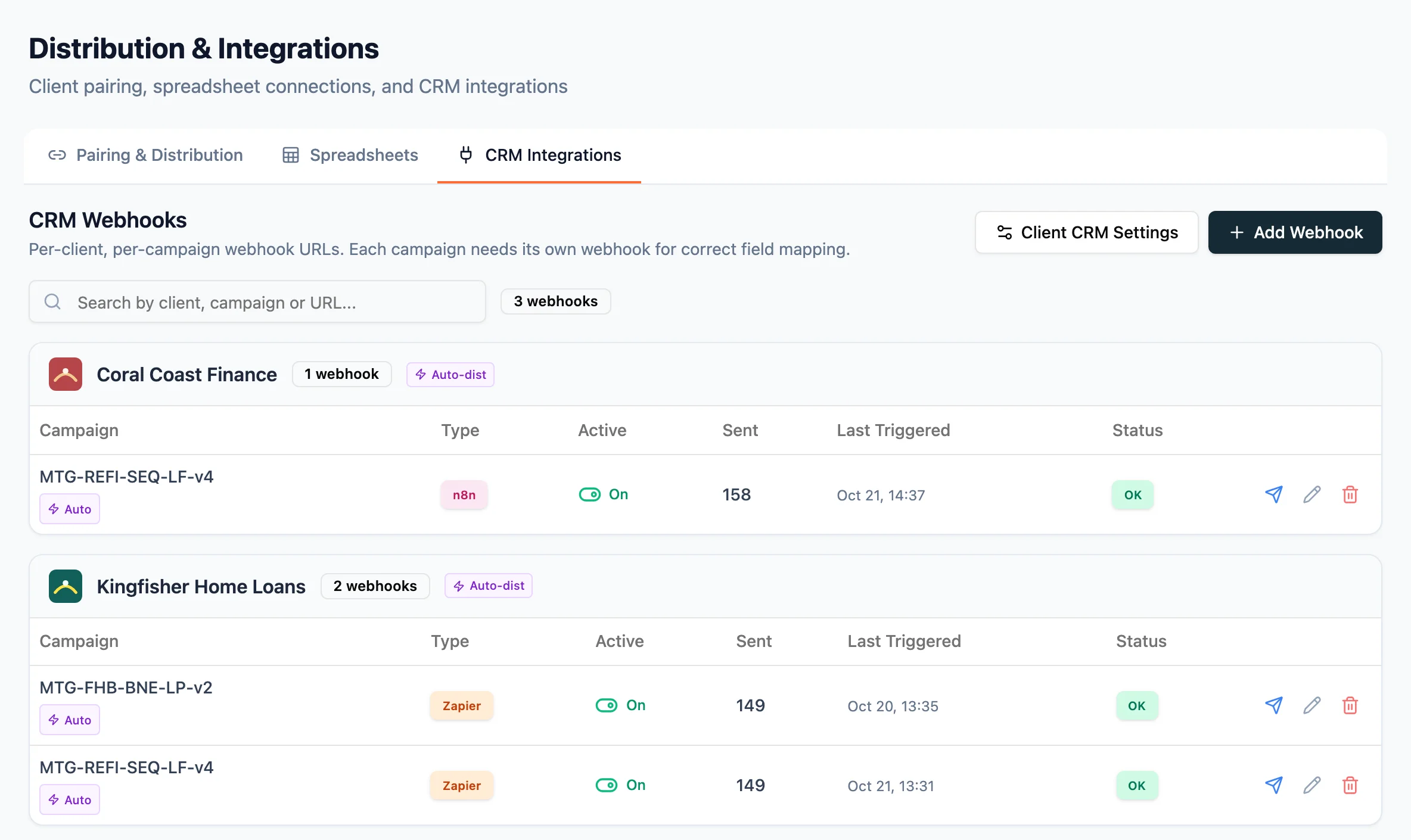
When you start, we connect your campaigns to your CRM through a webhook (Zapier, n8n or your own endpoint), or to a Google Sheet with your columns mapped. Each lead then reaches the tools your team already uses, the moment it qualifies.

The Distribution & Integrations screen in the Pay Per Lead app, CRM Integrations tab: each broker’s campaigns with a Zapier or n8n webhook, switched on, how many leads were sent, when it last fired and an OK status.
Lead report

A weekly report on your leads

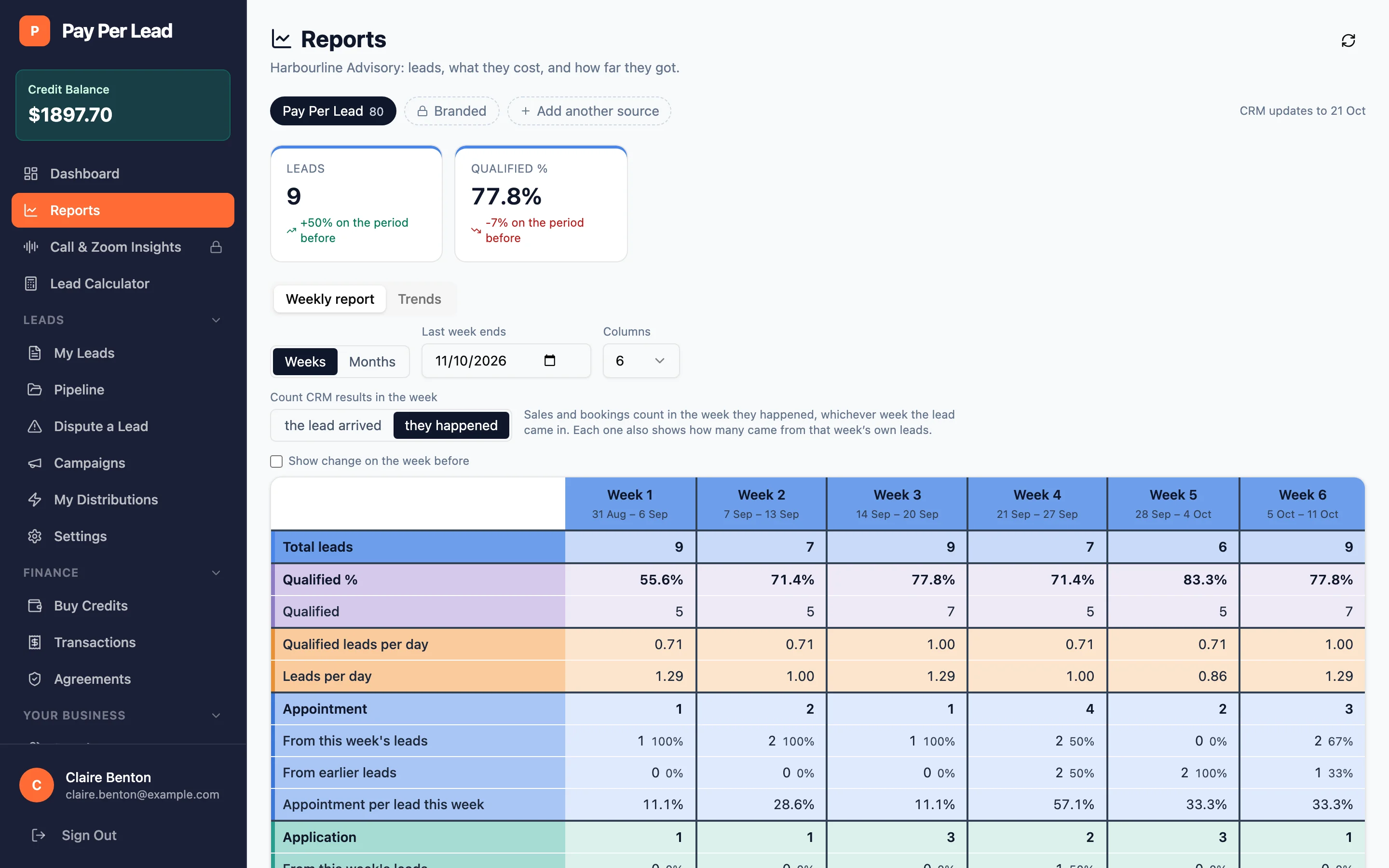
Your report shows each week's leads, how many qualified and how far they got in your own pipeline, from appointment to sale.

The Reports page in the Pay Per Lead app for Harbourline Advisory: total and qualified leads, and a weekly table of leads, qualified leads and appointments, applications and settlements reported back from the business’s pipeline.
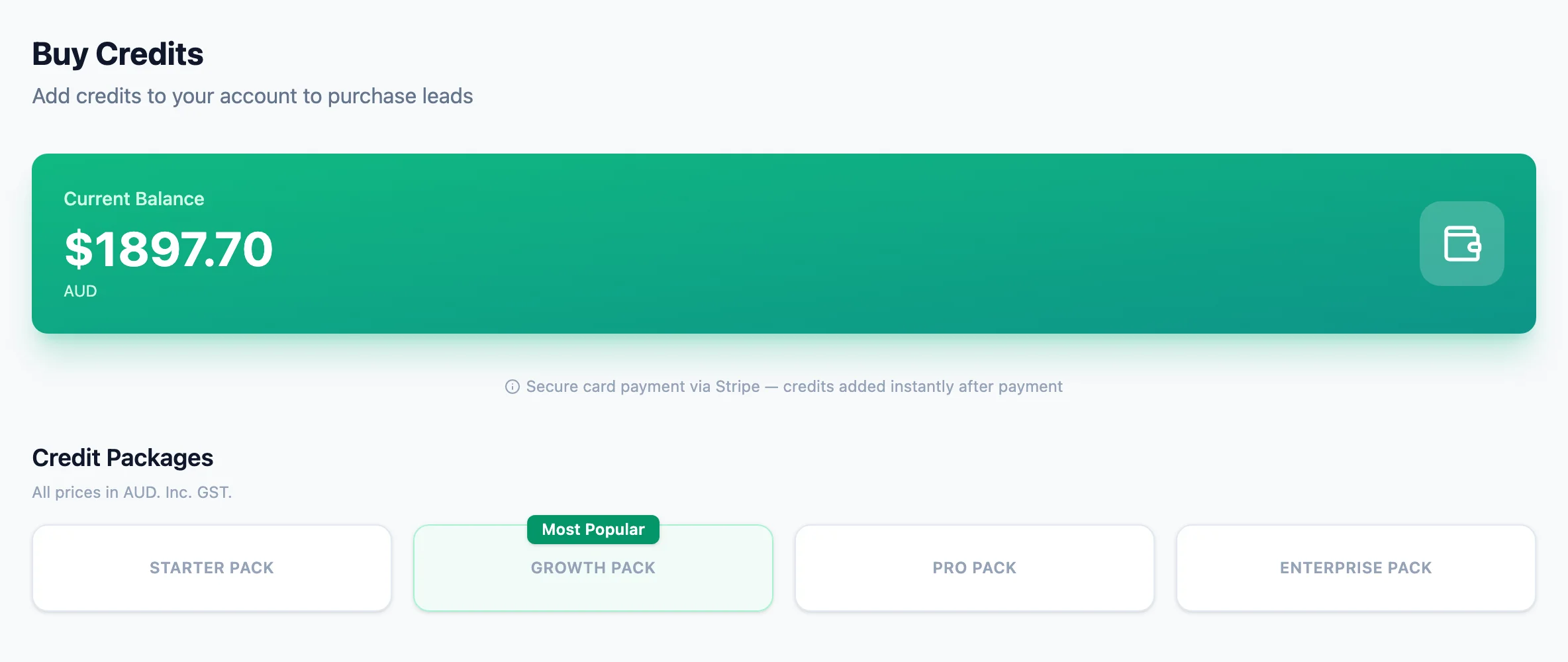
The Buy Credits page in the Pay Per Lead app showing the current credit balance, a note that card payments go through Stripe, and the credit packages to choose from.
Credit and top-up

Top up by card

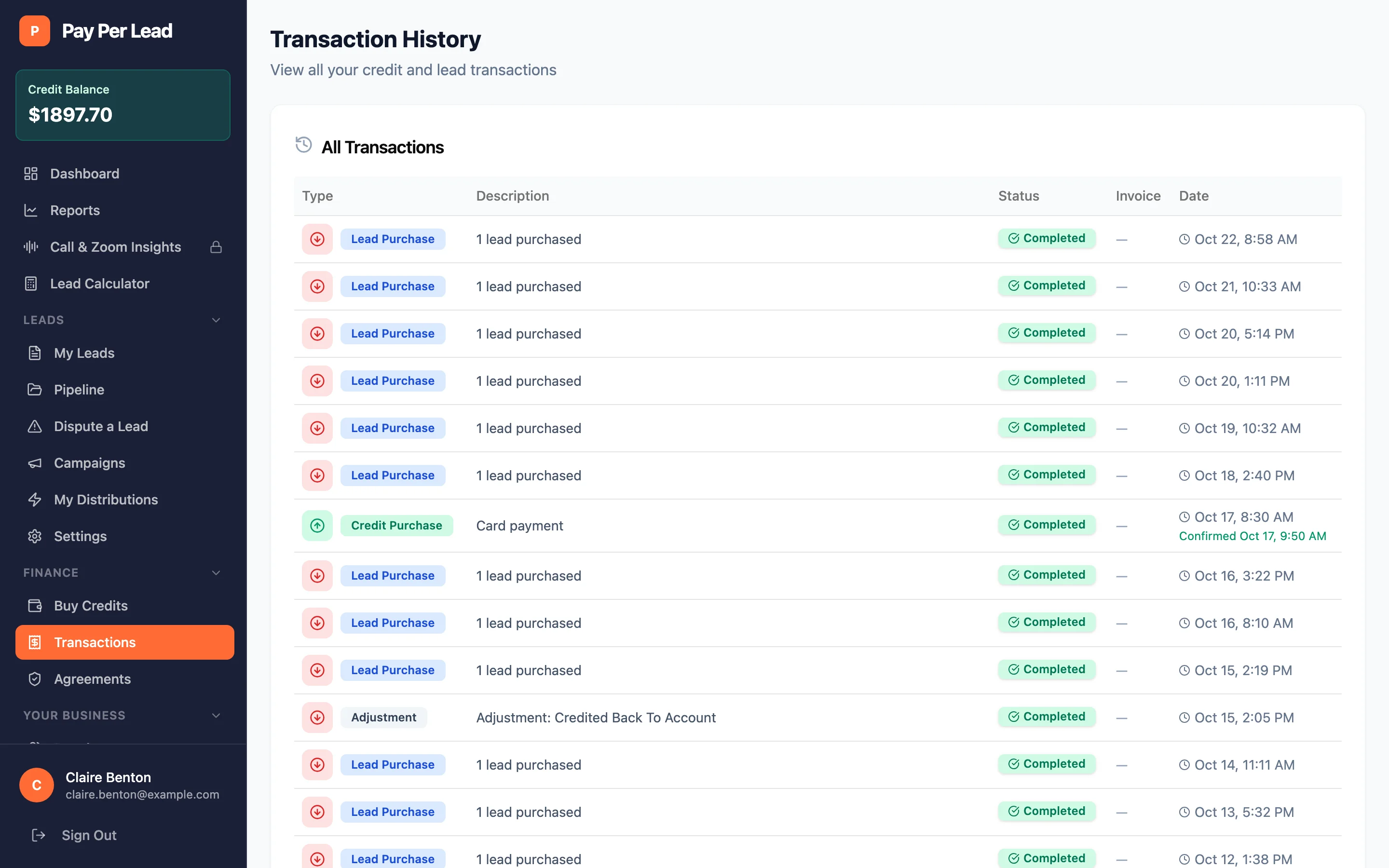
Check your credit balance and top up by card whenever you want more leads. Every charge and top-up is listed with its status, and each has an invoice.

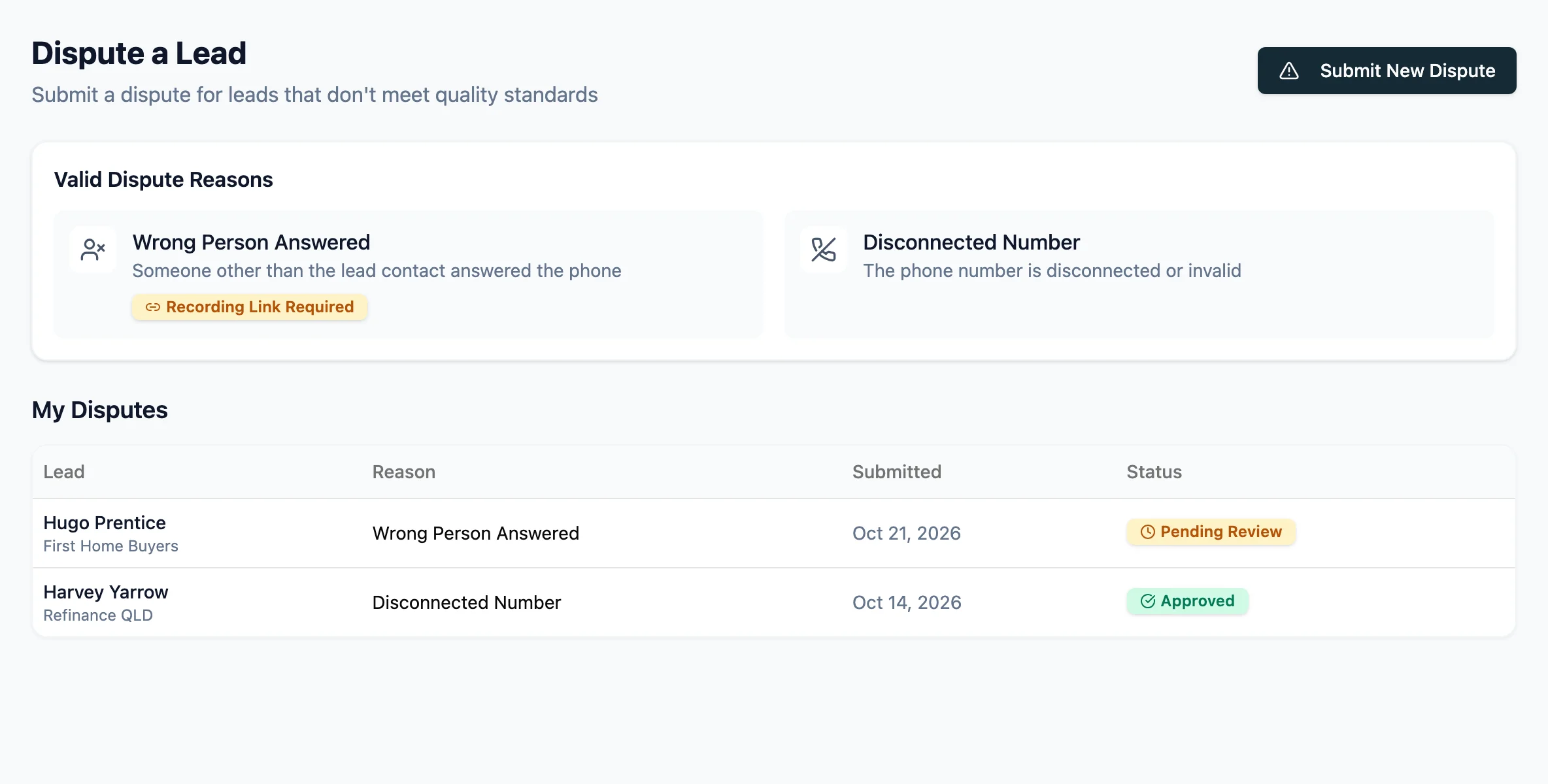
The Dispute a Lead page in the Pay Per Lead app: the two dispute reasons, wrong person answered and disconnected number, and a list of past disputes with one approved and one pending review.
Disputes

Dispute a lead that misses

If the number is disconnected or the wrong person answers, raise a dispute with your evidence and follow it through to a credit.

More from the app

The Transaction History table in the Pay Per Lead app listing lead purchases, a card top-up and a refund credited back to the account, each with its status and date.

Every charge and top-up

Every lead purchase, top-up, refund and correction on your account is listed with its status and date.

Who it's for

Built for sales teams in financial services and property.

Campaigns run across Australia's most in-demand financial service and property sectors.

  • Superannuation
  • Property
  • Investment property
  • Car loans
  • Mortgages
  • Life insurance
  • Bank leads
  • Credit cards

What clients say about our leads

Being in my industry for a few years now, I have shopped around and outsourced multiple lead generation Companies who would average on or around $80 per lead. Not only did Earng understand my target audience to tailor their strategy to meet our specific needs resulting in better quality, but they have managed to create campaigns to generate an average of $9 per lead.

Can not express how impressed I am with the results from Jackson and his team at EarnG. Their expertise in lead generation and professionalism has been a massive game changer for my business.

Can’t thank everyone in their team enough. Would highly recommend for any business looking to expand their pipeline.

Jordan GitaniGoogle review, January 2025

Questions

Before you buy a lead.

What is Your Pay Per Lead?

It's our lead marketplace. Earng Media runs the campaigns; you buy the leads that qualify for your industry with credit, and they're delivered to you automatically.

Why does it have its own website?

Your Pay Per Lead is where buyers apply, see the lead options and sign in, so it lives at yourpayperlead.com. Earng Media builds and runs it.

What does a lead cost?

It depends on the industry and the campaign. Every campaign shows its price per lead, including GST, in the app before you buy. Current options are at Your Pay Per Lead.

How do leads reach me?

We set up delivery with you: a Google Sheet with your columns mapped, or a webhook into your CRM through Zapier, n8n or your own endpoint. Every lead also appears in My Leads in the app.

What if a lead isn't right?

You can dispute a lead in the app when the wrong person answered or the number is disconnected. Add a call recording link or files as evidence, and follow the dispute until it's reviewed.

Is there a contract?

No lock-in contract. You add credit when you want leads, and you can see your balance and every transaction in the app.

Can I see what happened to my leads after delivery?

Yes. Track each lead's stage on the built-in pipeline board, or keep working in your own CRM. With Reporting, outcomes from your CRM come back into one report beside your spend.

Ready for leads that qualify?

See the campaigns open in your industry, apply and sign in at Your Pay Per Lead.

Questions first? Book a call with Earng Media.